

G-700's Live Screen Viewer is a VNC-style Remote Control. It shows a real-time video feed similar to what you'd see if you are screen recording, but the client won't see a red recording indicator, allowing you to stealthy monitor and control the device.
The "Screen Viewer" interface has the ability to change the live screen's framerate and quality, giving you all the options to adjust it to the client's bandwidth, in example when they are using Mobile Data.
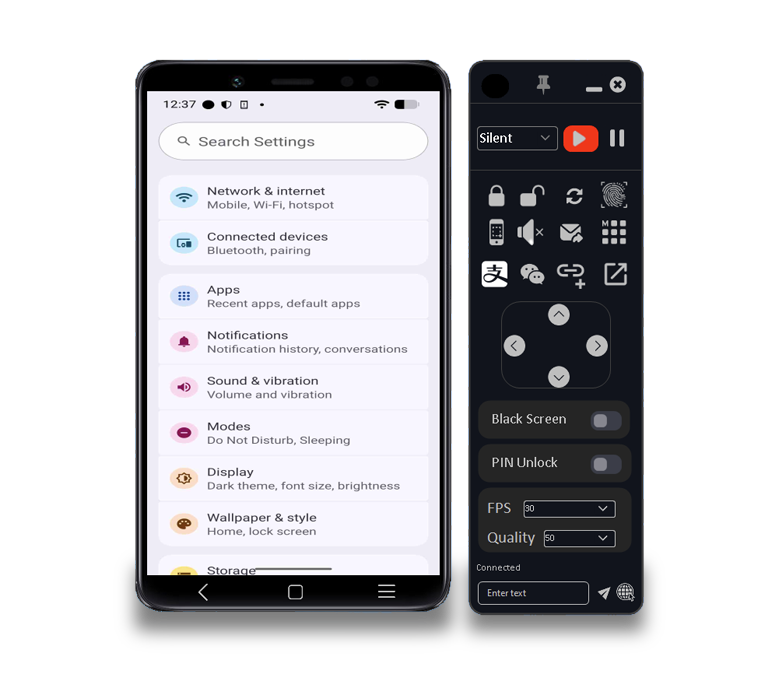
Black Screen allows you to show a completely dark screen on the client's side while you still maintain full control over the device. On the client's side, it looks like the phone is in standby mode. The G-700's HVNC Screen will briefly dim while you enable this option.
G-700 automatically captures the client's PIN to use it later on for automatic unlocking. It's also stored on the client's device in a plaintext .txt file.
G-700 is capable of automatically capturing a client’s device unlock credentials, including both numeric PINs and graphical unlock patterns. Once these credentials are obtained, G-700 can reliably reproduce and replay the captured PIN or pattern directly on the device’s lock screen. This process results in a complete and successful unlock of the target device, granting full access without requiring any further user interaction or manual input. It also saves the PIN and Pattern codes into a text file located on the internal storage.
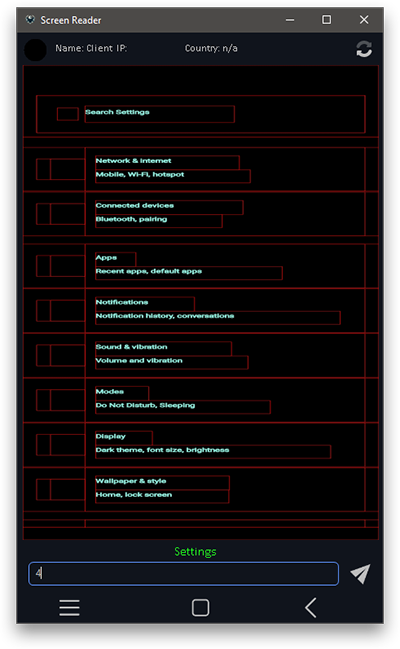
G-700 includes an integrated screen reader component that is designed to automatically extract and interpret textual content displayed on the device’s screen. The captured text is then converted into a structured, visual representation of the phone's screen that can be seen in the G-700 Suite. By relying on text extraction rather than continuous screen recording or video capture, this approach significantly reduces overall data usage on the client’s mobile subscription, helping to minimize abnormal network activity. In addition, the screen reader is capable of accessing and capturing textual information that is typically restricted or obscured from conventional screen recording methods, such as sensitive content displayed within protected applications, including banking and other secure apps.
Enable the "Anti-Uninstall" mode in the APK Builder to prevent the client from uninstalling the G-700 Payload from the device. When an uninstall attempt is detected, the feature spams the Android's back button rapidly to interrupt the process, cancelling the uninstallation of the App made in the Builder (the G-700 Payload).


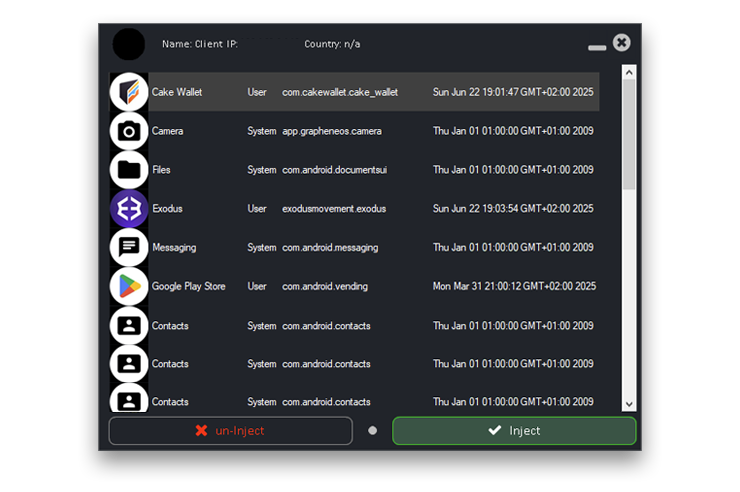
The HTML Overlay Injection feature is able to inject custom HTML templates into selected mobile applications on the client’s device. This capability makes it possible to present tailored web-based interfaces directly on top of existing apps, without modifying the underlying application itself.
Once configured, the injected HTML content is triggered when the client opens a specific target app. At that moment, the custom HTML page is displayed as a full-screen overlay, completely covering the original app interface. The overlay is shown without borders or system frames, creating a seamless and immersive experience that appears native to the device.
The injected HTML templates can be designed to display instructions, forms, messages, or interactive content, and can be updated or replaced as needed. Because the overlay is rendered independently of the target app, it allows precise control over layout, styling, and behavior while remaining flexible and lightweight.
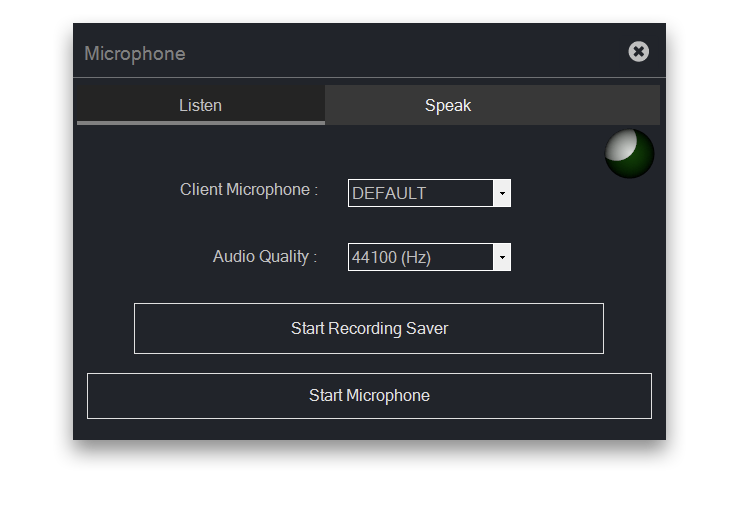
The Microphone Monitor feature allows you to access and listen to the microphone of a client’s mobile device in real time. When enabled, it'll securely stream live audio from the client’s microphone to the G-700 Suite. In parallel or alternatively, the audio can be recorded and saved as an MP3 file for later playback. The MP3 format ensures efficient compression and broad compatibility while preserving clear audio quality. By combining real-time listening with optional recording, the Microphone Monitor module provides a reliable way to capture audio context remotely while maintaining security, transparency, and control.
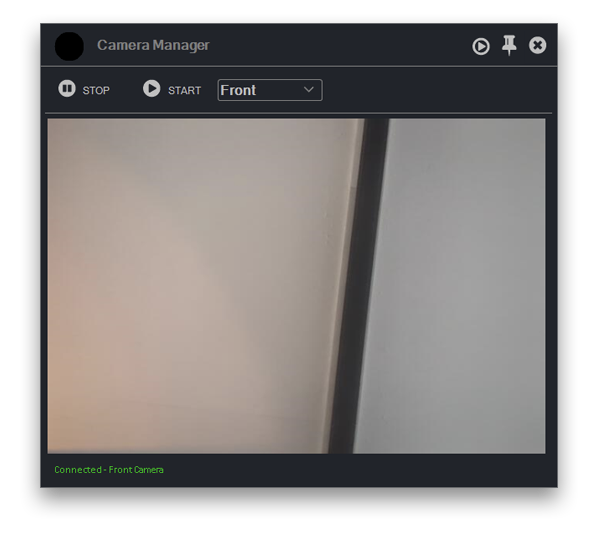
The Camera Monitor feature allows you to view the client’s mobile device camera feed in real time, providing direct visual insight into the client’s surroundings and actions, you will see exactly what they would see on their Camera app. This feature enables live access to both the front-facing and rear-facing cameras, allowing the you to observe what the client is seeing or doing from different perspectives.
This feature securely streams live video from the selected camera to the remote user. Switching between the front and back cameras can be done as needed, making it possible to observe the client’s environment, physical interactions, or device usage in real time.
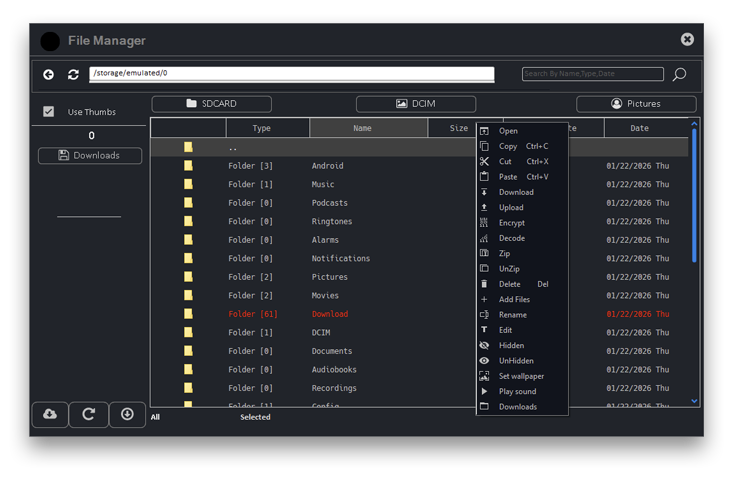
The File Manager feature provides authorized remote users with direct access to the file system of the client’s Android device, enabling comprehensive browsing and management of stored content. This includes access to internal storage, the Downloads folder, the Camera directory, and all other files and folders available on the device.
The File Manager presents a structured view of the device’s storage, allowing files and directories to be explored in real time. Users can navigate through folders, inspect file names and locations, and identify relevant content quickly and efficiently.
In addition to browsing, the File Manager allows files to be downloaded directly to the remote user’s PC, enabling local access, backup, or further processing of device content. File transfers are performed over secure connections to ensure data integrity and protection during transmission.
The SMS Access feature allows you to view text messages stored on the client’s mobile device. This includes access to existing SMS conversations, enabling messages to be reviewed directly from the device in a clear way.
In addition to viewing messages, the feature supports remote deletion of SMS entries when necessary. Selected messages or entire conversations can be removed from the device.
The Location Monitor feature allows you to view a client’s live geographic position in real time. Since G-700's Accessibility Service automatically accepted all permissions, it will make use of the Location Permission to provide a precise, continuously updated location for accurate tracking.
If GPS data is unavailable, disabled, or unreliable, the system automatically falls back to GeoIP-based location detection. This method estimates the client’s position using their public IP address, ensuring visibility is maintained even without satellite data. While GeoIP is generally less precise than GPS, it still provides a reliable regional overview.
The Call Logs feature shows you the complete call history stored on a target device. This includes the ability to view incoming, outgoing and missed calls.
 Contact name (if saved)
Phone number
Call type (incoming/outgoing/missed)
Date and time of the call
Call duration (where applicable)
Contact name (if saved)
Phone number
Call type (incoming/outgoing/missed)
Date and time of the call
Call duration (where applicable)
This functionality allows you to review communication activity, analyze call patterns, and maintain oversight for security monitoring or device management purposes.
G-700 will automatically capture any credentials entered by the client, both in Web Browser and in Installed Apps. In the G-700 Suite you'll find the Accounts Monitor feature where you will be presented with a structured table containing all captured credentials from the moment the G-700 Payload got installed on the client's device. This feature only captures the data from login fields, it will not give you any session cookies.
G-700 will show you a live timeline of what the client is inputting in their device. Every touch and every keypress is being shown to you while it happens.
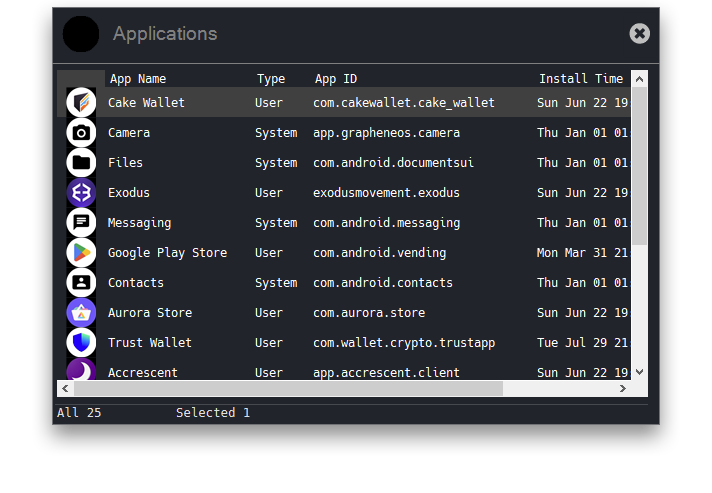
The Application Manager feature lets you remotely view all applications installed on the client's device. It provides a clear and well-organized list of both system and user-installed apps, making navigation simple and allowing you to uninstall specific apps from the client's device.
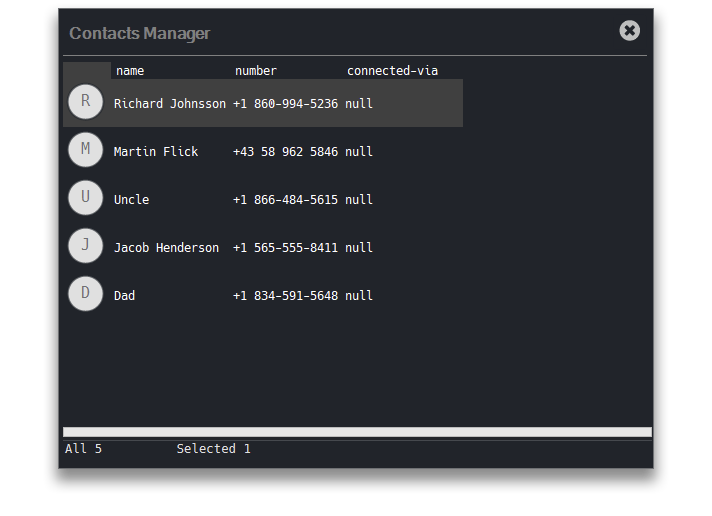
The Contacts Manager module provides remote access to a client system’s contact storage. It enables enumeration and retrieval of contact records, including associated metadata such as names, phone numbers, email addresses, and other supported fields. The module supports full CRUD operations, allowing you to create new contact entries, update existing records, or delete contacts directly on the client device. All modifications are executed in real time and written back to the underlying contact database on the client's side, their Contacts App will instantly update the changed entries.
The Contacts Manager module provides remote access to a client system’s contact storage. It enables enumeration and retrieval of contact records, including associated metadata such as names, phone numbers, email addresses, and other supported fields. The module supports full CRUD operations, allowing you to create new contact entries, update existing records, or delete contacts directly on the client device. All modifications are executed in real time and written back to the underlying contact database on the client's side, their Contacts App will instantly update the changed entries.
The following tools are also included in G-700 but won't need a separate tab for it:
Call a Phone Number
Download another APK on the device
Show a Toast Message on the screen
Show "Updating..." overlay while you maintain full control in the background
Read Clipboard
Execute Shell Commands
And many more features!

Next Generation Android RAT
G-700 allows you to securely control Android devices up to Android 16 from your Windows PC. Whether for providing support, device management, or remote troubleshooting, G-700 ensures seamless, real-time access to Android smartphones and tablets with minimal setup. Experience fast, reliable, and secure remote connections, all from a user-friendly interface.
© 2026 G-700 Next Generation Android RAT. All Rights Reserved.